
October 5, 2026
Volume Master Alternative: Modulate vs Volume Master
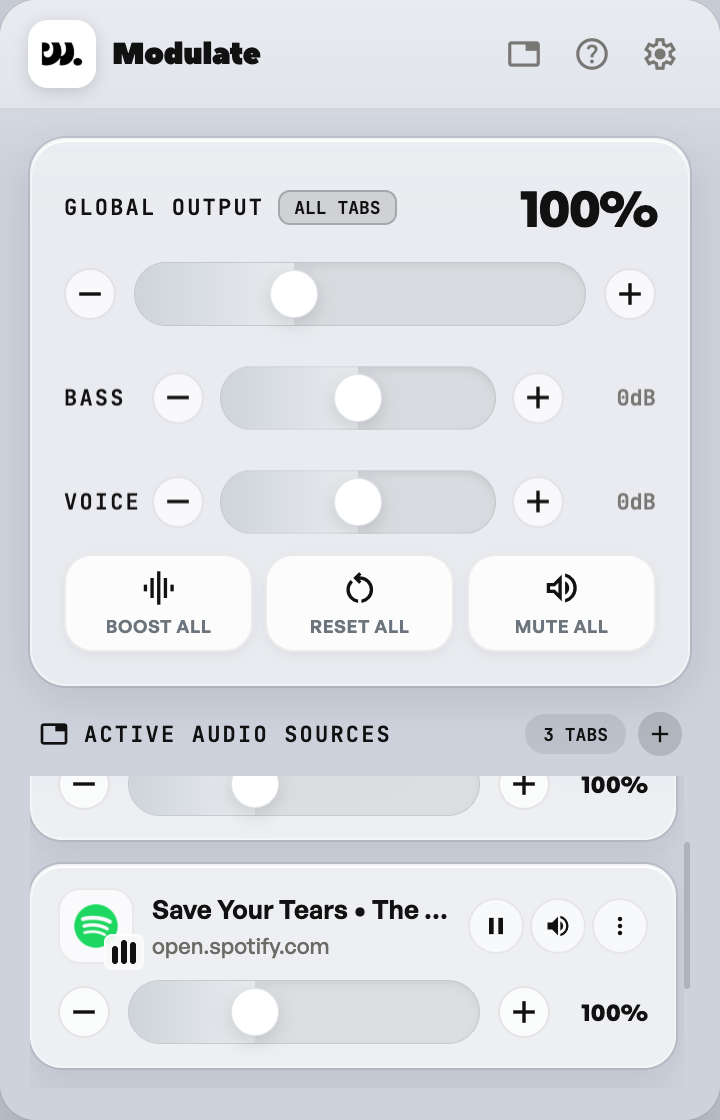
Volume Master and Modulate are both free Chrome extensions that give each tab its own volume, and both can boost a quiet tab up to 600%. Modulate adds optional Bass and Voice shaping, keyboard shortcuts, and a ceiling you set yourself.
This page compares them using only facts from each product’s public listing. Volume Master is much larger and has been around longer, so this is a fair look at the differences, not a claim that one is better.
What they have in common
- Per-tab volume. Each tab gets its own level, so a loud tab does not drag down the rest.
- Boost up to 600%. Volume Master’s listing says “up to 600%”. Modulate lets you pick a max boost of 150, 200, 300, 400, 500 or 600%.
- Audible tabs in a list. Both show the tabs that are playing sound so you can jump to the noisy one. Modulate shows playing tabs first.
- Free. Neither charges for the extension.
- Site access. Both need permission to run on the sites you visit, because that is how an extension reaches a page’s audio.
What Modulate adds
- Bass Boost and Voice Boost. Optional shaping from -12 to +12 dB, for every tab at once or for one tab. They stay hidden until you turn them on in Settings.
- Keyboard shortcuts. Alt+Shift+M mutes or unmutes the active tab, and Alt+Shift+Up or Down changes its volume by 10%. On a Mac use Option instead of Alt. You can remap them at chrome://extensions/shortcuts.
- A boost ceiling you control. The default ceiling is 150%. You raise it in Settings only if you want to.
- A mute that is easy to see. A muted tab turns red in the list.
- Data. The extension has no accounts, no tracking and no analytics. Nothing about your tabs or your audio leaves your browser. The full policy is on the Privacy page.
What Volume Master has
- A large user base and track record. Its Chrome Web Store listing shows millions of users and tens of thousands of ratings.
- Many languages. The listing says it supports 54.
- Established reviews. It has been covered by technology sites such as gHacks.
- A global master volume and saved per-site volume, according to that gHacks review.
Modulate keeps each tab’s setting until you close that tab. If you want a volume remembered per website across visits, check how each extension handles that before you choose.
How to choose
- Want the most widely used option with the simplest controls? Volume Master is a reasonable pick.
- Want Bass and Voice shaping, keyboard shortcuts and a boost ceiling you set? Try Modulate.
- Unsure? Both are free. Install one, try it for a day, and keep the one you prefer.
Add Modulate to Chrome, then see how to use it. It works in Chrome, Brave, Edge, Vivaldi and Opera on desktop.